Preview and Program, CUT, AUTO and a real T-bar. Scenes built from layers, 21 templates, stingers, playlists and replay, with monitors and controls like a broadcast truck.
Preview and Program side by side, CUT and AUTO, and a T-bar that moves like the real thing. Build each scene from layers: move, resize, crop, round and border them, and key out a green screen on the GPU.
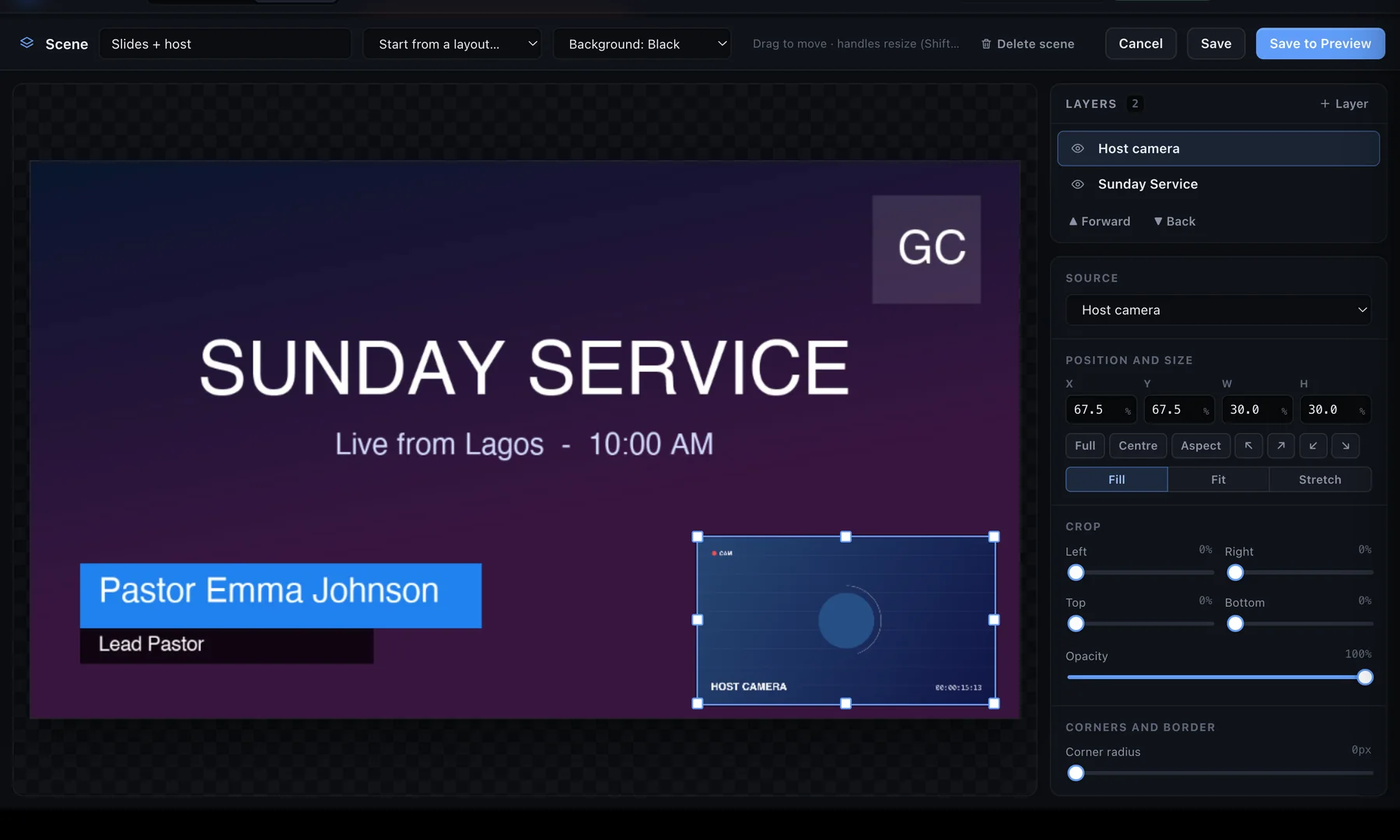
Put a multi-viewer with tally and labels on a second display, or a clean Live Output for the stage. Drive everything from your keyboard, global hotkeys or a Stream Deck.
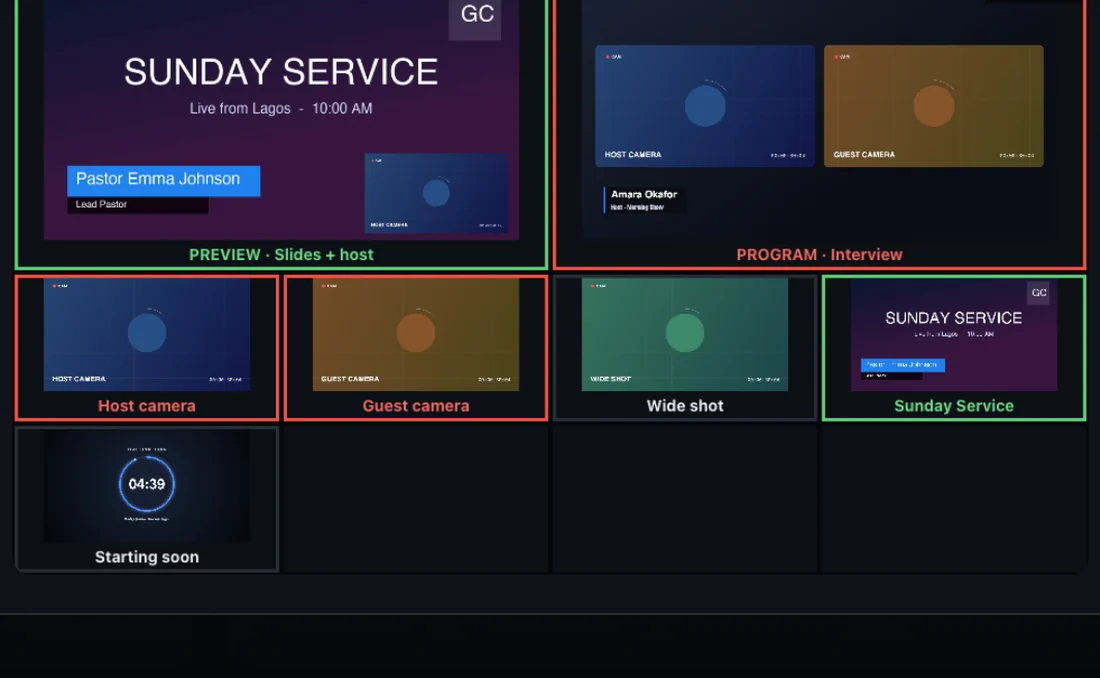
The tools of a TV control room, designed for one person on one Mac.
Scenes, layers, transitions, a real T-bar. Up to 4K.
Learn more →Browser guests from a link, and Zoom participants as sources.
Learn more →EQ, compressor, audio-follows-video, monitor and limiter.
Learn more →Lower-third templates, countdowns and chroma key.
Learn more →YouTube, Facebook, Twitch and 12 more at once.
Learn more →Multi-viewer, Live Output monitors and NDI out.
Learn more →Download StreamPort and try every feature free for 14 days. No credit card.

