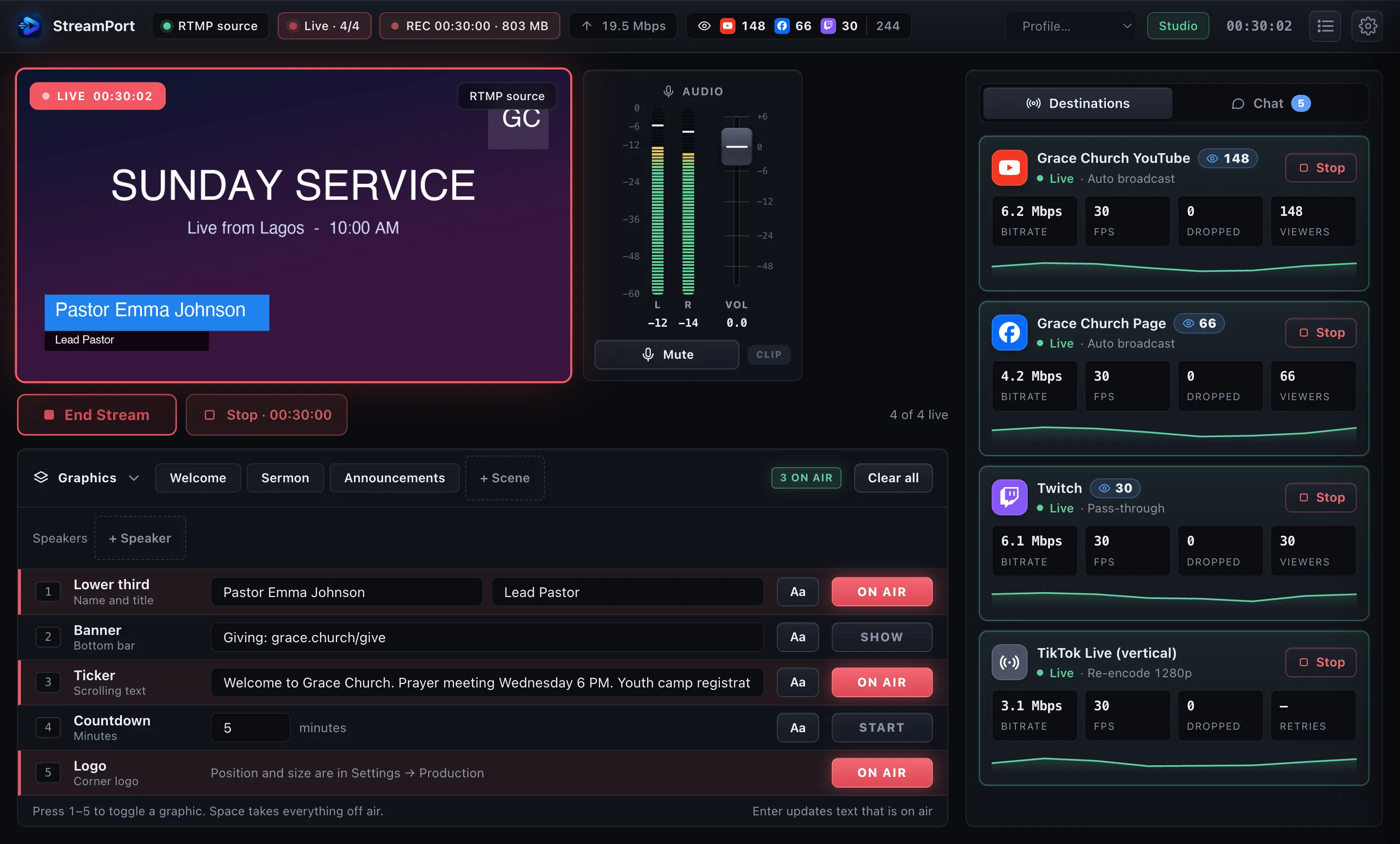
StreamPort is the multistream and production hub for pro encoders. Send one stream from Wirecast, OBS or vMix to YouTube, Facebook, Twitch and any RTMP server, with auto-reconnect, a backup slate, comments on screen and Stream Deck control.
14-day free trial with every feature. No credit card. Works on Apple Silicon and Intel Macs.
Works with Wirecast · OBS Studio · vMix · ATEM and hardware encoders · any RTMP, NDI or virtual-camera source
Streaming apps that do it all make you give up your studio. StreamPort keeps your encoder and adds the parts that make live shows dependable.
Send a single clean stream from Wirecast, OBS or vMix. StreamPort delivers it to YouTube, Facebook, Twitch and any RTMP server without re-encoding, so quality stays yours and your CPU stays free.
Each destination reconnects on its own with smart backoff. One platform hiccup never touches the others, and you see exactly what happened.
Show a picture or a short looping video, with background music, before the event starts, and if your encoder drops mid-show. The stream stays up and switches back when the source returns.
Bitrate, frame rate, dropped frames, viewers and a bandwidth graph for every destination, plus your total upload, so problems show before viewers notice.
Pick destinations, set one title for every platform, and see source, keys, plan and disk checks before a 3-2-1 countdown takes you on air.
Lower thirds, logo, banner, a scrolling announcement ticker, countdown, mute and a mixer-style volume fader with a limiter, added once and delivered to every destination.
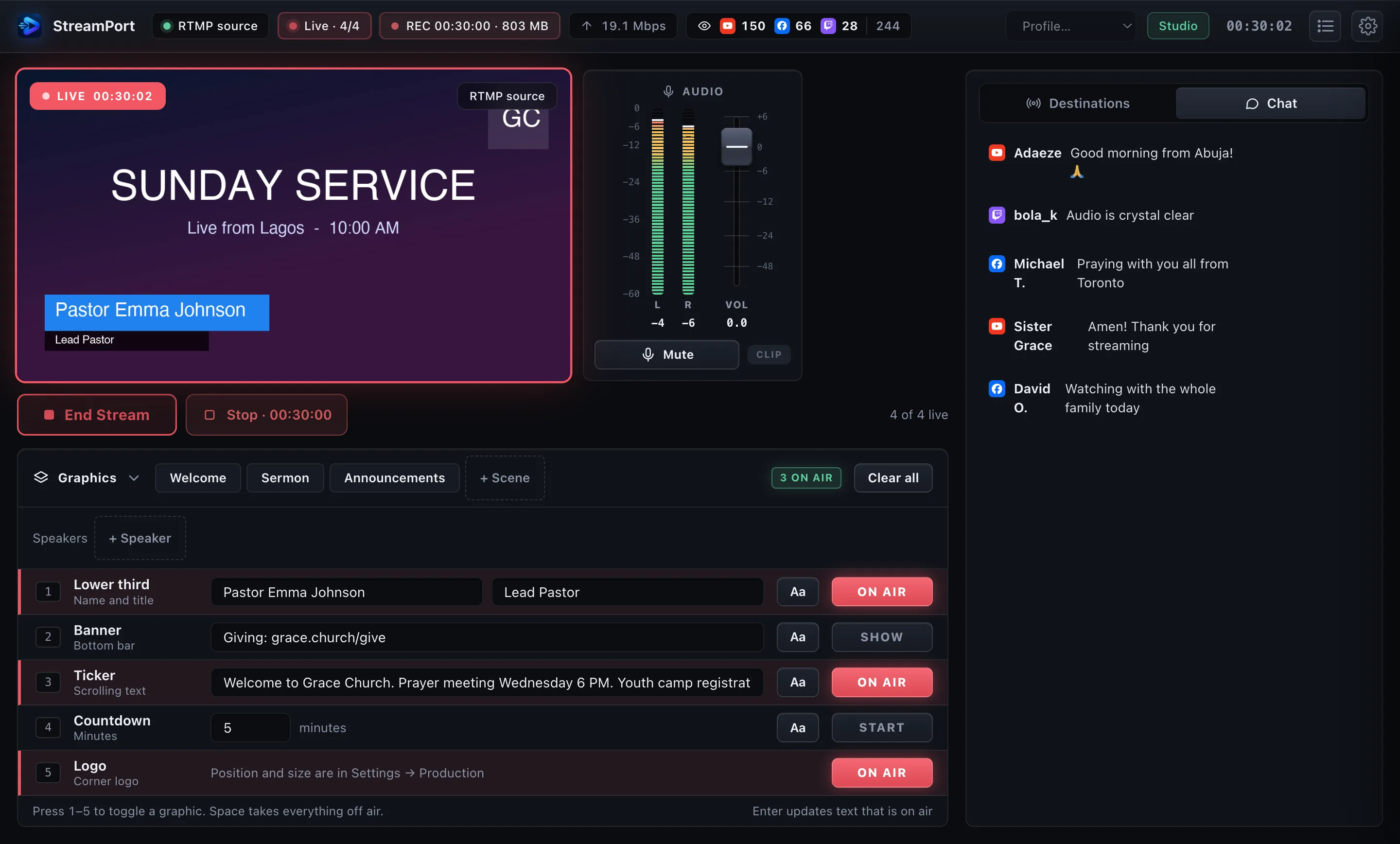
Merged live chat from YouTube, Facebook and Twitch. One click puts a viewer comment on air.
Save overlay presets and switch them live from the app, a hotkey or a Stream Deck button.
Send a centre-cropped vertical version to TikTok, Reels and Shorts at the same time as your widescreen stream.
Record every stream to MKV or MP4 with no re-encode, split into files, plus an optional audio-only file for podcasts.
Connect YouTube, Facebook and Twitch and StreamPort creates the broadcast, fetches the key, sets the title and ends it for you.
Upload your show once and our servers send it to every platform, so your internet carries one copy instead of one per destination. Schedule pre-recorded streams that play with your Mac off, and get an email if a destination drops.
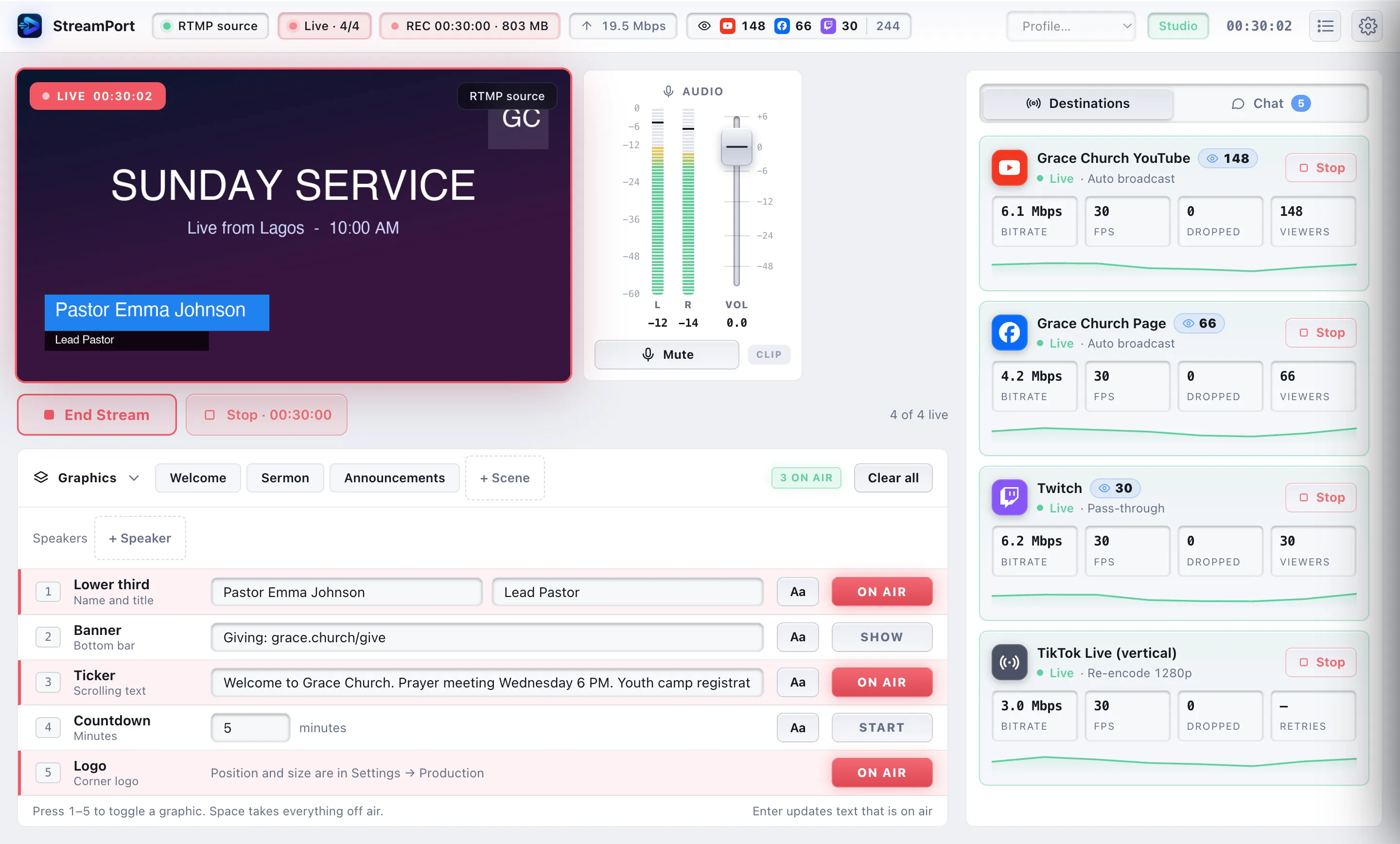
Any installed font, bold, italic, colour, outline, shadow and background box for the lower third, banner, countdown, comments and ticker, with a live preview.
A week calendar of your programs. Each goes live on time and fires timed cues: lower thirds, banners, countdowns and scenes, hands-free.
YouTube, Facebook, Twitch, Kick, TikTok, Instagram, X, LinkedIn, Amazon, Restream, Vimeo, Rumble, Trovo, Dailymotion and any RTMP server.
Go live when Wirecast connects, end if the source disappears, and recover after a crash.
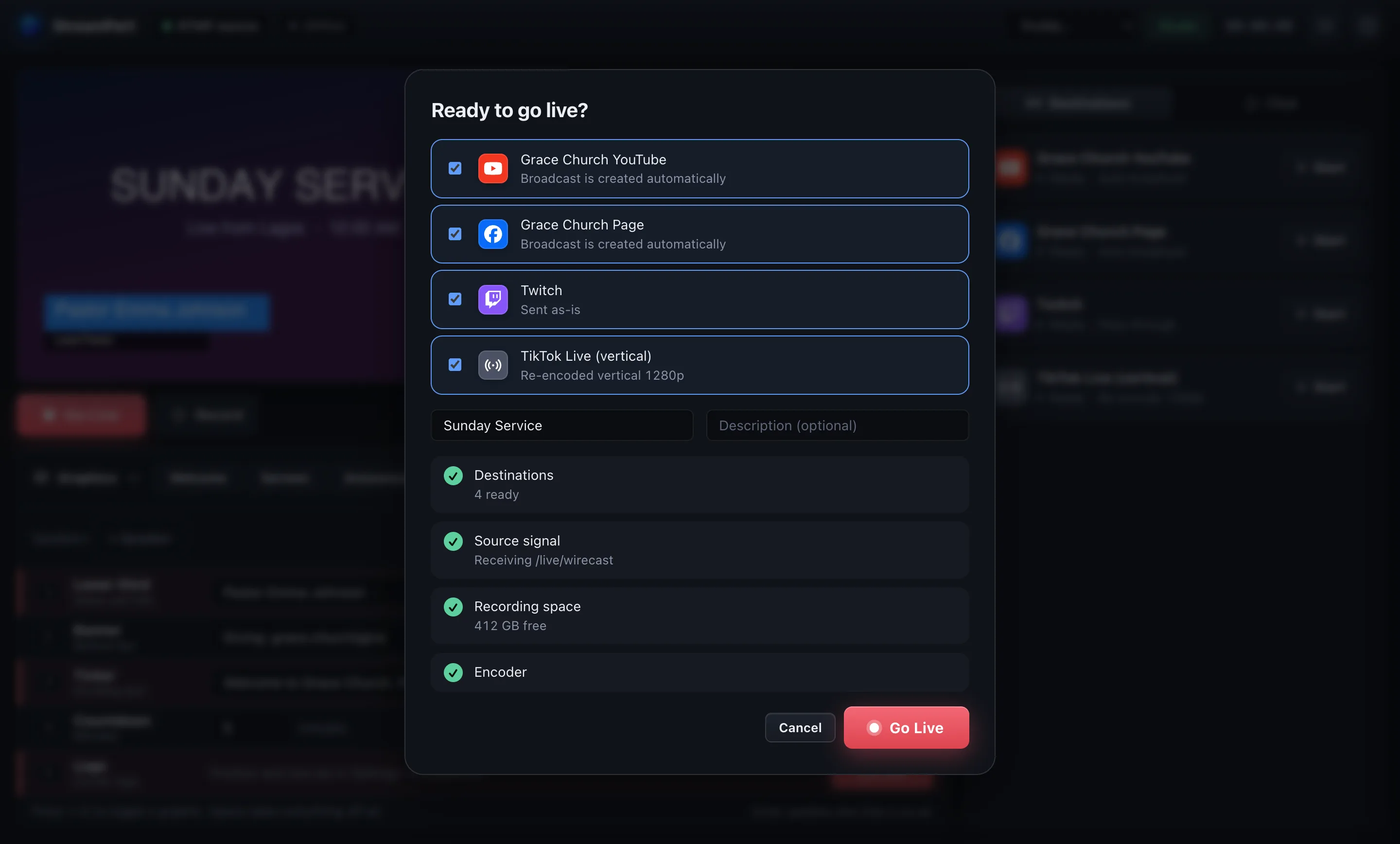
Choose where you’re going, type the title once, and see a plain-language checklist before you press the button. A 3-2-1 countdown gives you a final moment to cancel.
Read YouTube, Facebook and Twitch chat in one place. Hover a message and put it on air with a branded comment card. Viewer counts sit right on each destination.
Add your logo, lower thirds, banner and countdown once, and every destination gets them. Save scenes, switch them from a hotkey or Stream Deck, mute and set volume with a limiter that protects your audio.
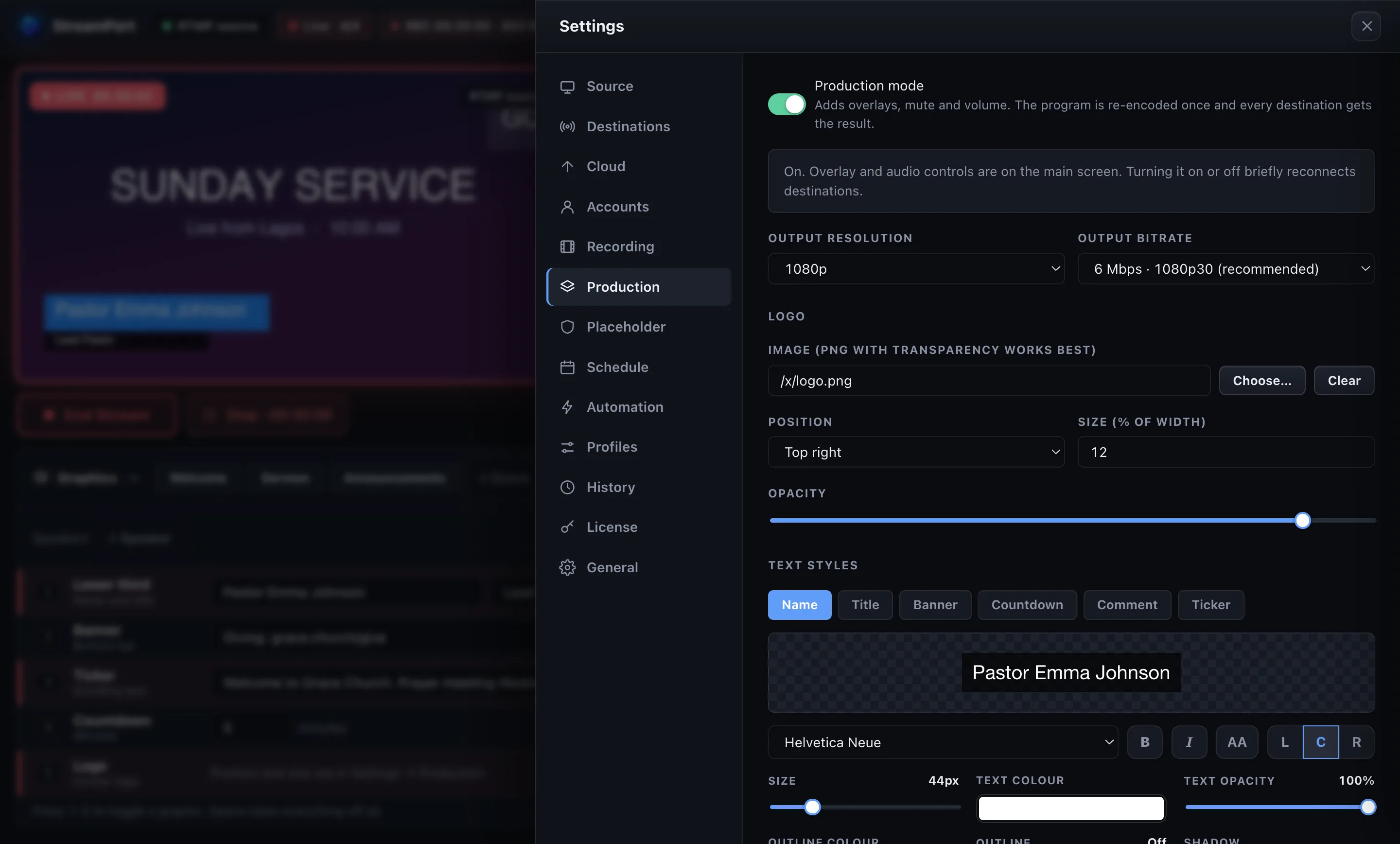
One editor styles every on-screen text. Pick any font on your Mac, make it bold or italic, add an outline or shadow, and see it update on air within a second.
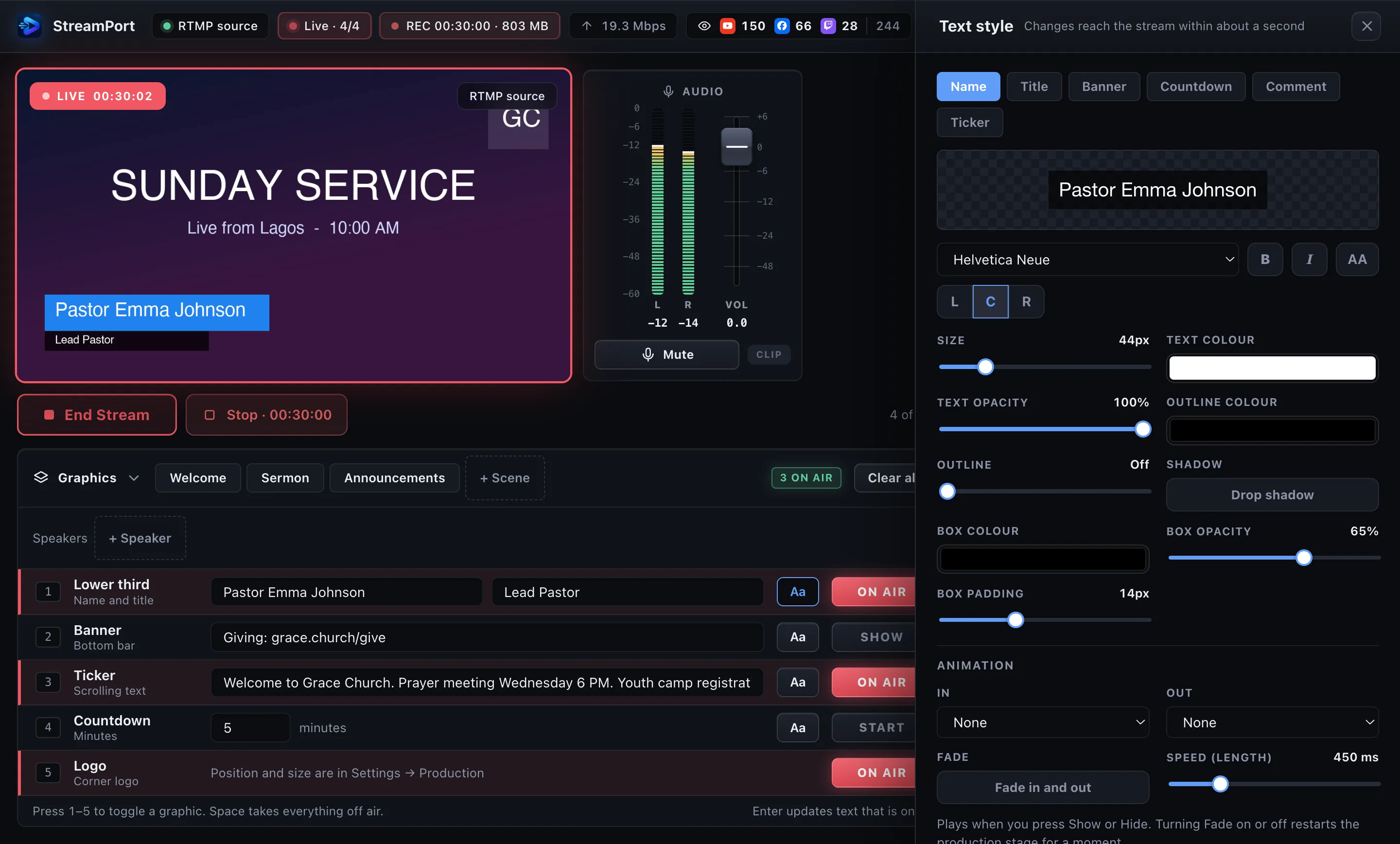
Lay out the week on a calendar. Each program starts on time and runs its own run of show: show the speaker's name at 5:00, a banner at 20:00, a countdown near the end.
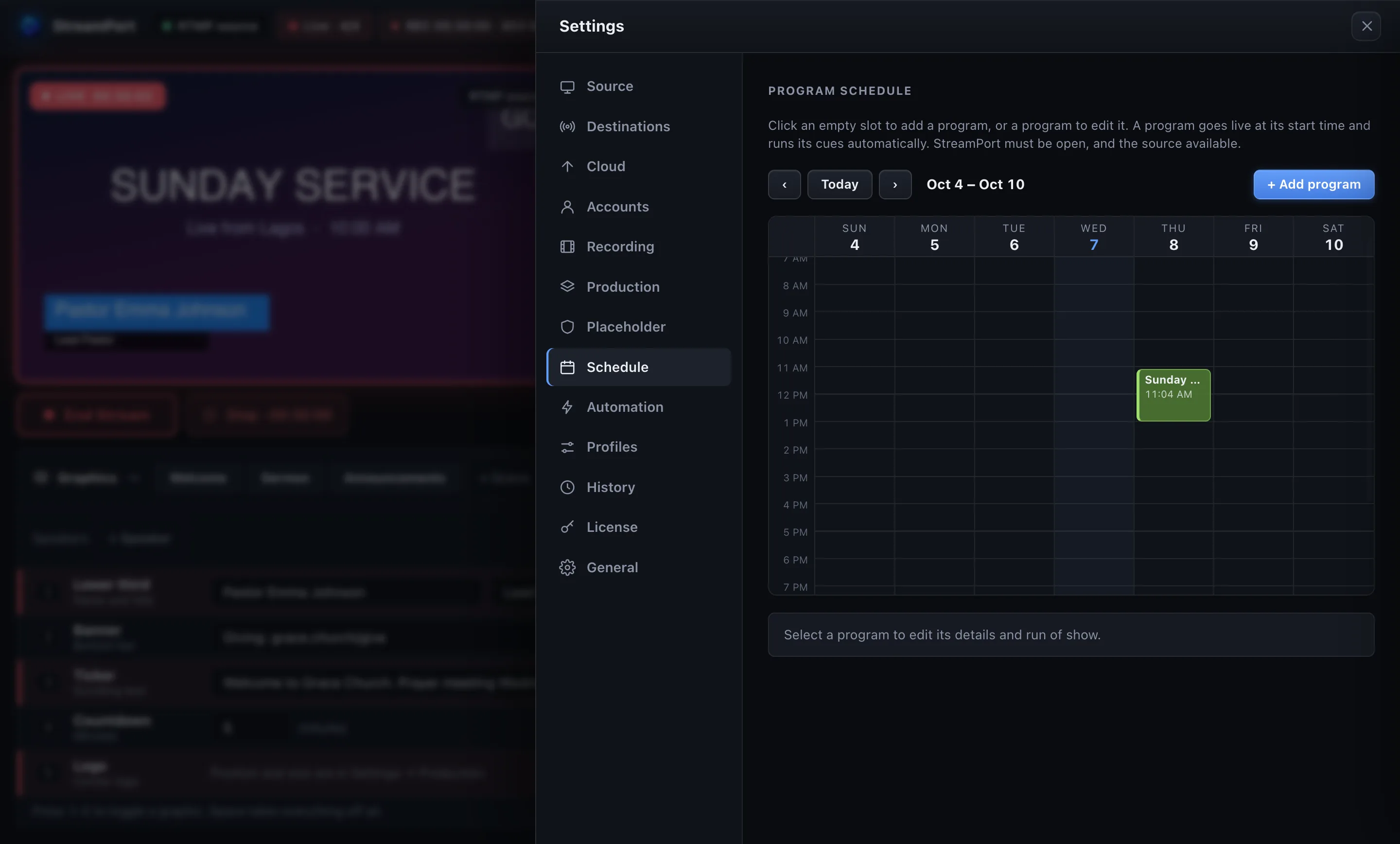
A clear, calm interface with big status, audio meters, and menu-bar control so you can hide the window and still stay in charge.
In Wirecast choose an RTMP server and paste rtmp://127.0.0.1:1935/live. Prefer a virtual camera or NDI? Those work too.
Paste stream keys, or connect your accounts and let StreamPort create the broadcasts for you.
Check the pre-flight list, press Go Live and watch every destination’s health in real time.
Ecamm Live and StreamYard are all-in-one studios. StreamPort is for people who already have a studio and want to distribute it well.
| StreamPort | Ecamm Live | StreamYard | |
|---|---|---|---|
| Works with the encoder you already use (Wirecast, OBS, vMix) | Yes | No, it is its own studio | No, browser studio |
| Remote guests in the show | No, use Wirecast or Zoom | Yes | Yes |
| Destinations at once | 5 (Solo) or unlimited (Studio) | Up to 10 | 3 or 8, by plan |
| Comments on screen | Yes (Studio) | Yes | Yes |
| Passes your stream through without re-encoding | Yes | Not applicable | Not applicable |
| Runs on | Mac (Apple Silicon and Intel) | Mac | Any browser |
| Paid plans from | $12/month | $16/month, billed yearly | $36/month yearly, $44.99 monthly |
Competitor details are from their public websites in October 2026 and may change. Check their sites for current plans.
Try everything free for 14 days. Cancel any time. Pay once a year and save.
For trying it out and simple shows
For solo streamers and small teams
Everything, for professional productions
Prefer to pay once? $449 lifetime Studio license. Buy lifetime
Prices in US dollars. Taxes may apply at checkout. One license covers two of your Macs. 14-day money-back guarantee.
No. Wirecast (or OBS, vMix, any encoder) stays your studio. StreamPort sits after it and distributes your finished stream to every platform, with the reliability and production tools that make going live calmer.
By default no. Your stream is passed through untouched, so you keep Wirecast’s quality and use almost no CPU. Re-encoding only happens when you ask for it: a lower resolution for one platform, a vertical version, or Production mode overlays.
A Mac, Apple Silicon or Intel, running macOS 12 or later, plus an encoder that can send RTMP (Wirecast can), or a virtual camera or NDI source. NDI needs NDI Tools installed.
StreamPort does not host guest calls. Bring guests into Wirecast (or Zoom) as you do today and StreamPort streams the result. If built-in guest rooms are what you need, tools like Ecamm Live or StreamYard focus on that.
Stream keys and account tokens are encrypted with your Mac’s keychain and stay on your computer. They are masked in every log. StreamPort has no analytics and never uploads your streams.
The 14-day trial unlocks everything and needs no credit card. After that StreamPort keeps working on the Free plan (two destinations, send-as-is) until you choose a plan.
Cancel any time from Settings → License; your plan stays active until the end of the period you paid for. If it isn’t right for you, ask within 14 days of purchase for a full refund. See the refund policy.
One license works on two of your Macs, for example a studio Mac and a laptop.
Yes, where the platform gives your account an RTMP server URL and stream key: Instagram through Live Producer on desktop (Professional accounts) and TikTok through LIVE Studio or the app, for accounts with access. Add them from the destination list and choose vertical output for TikTok.
Download StreamPort and try every feature free for 14 days.
