IntroductoryIntro prices end October 31 · Solo from $9.92/month and Studio from $20.75/month, billed yearly.

See pricing
Coming soon on the App Store

StreamPort for iPad

Coming soon to the App Store.

The StreamPort studio, made for iPad. Your camera, slides, guests and broadcast graphics, mixed into one 1080p show and streamed to YouTube, Facebook, Twitch or any RTMP server, from the iPad in your hands.

Planned for iPadOS 17 and later. Already a StreamPort customer? Sign in with your account.
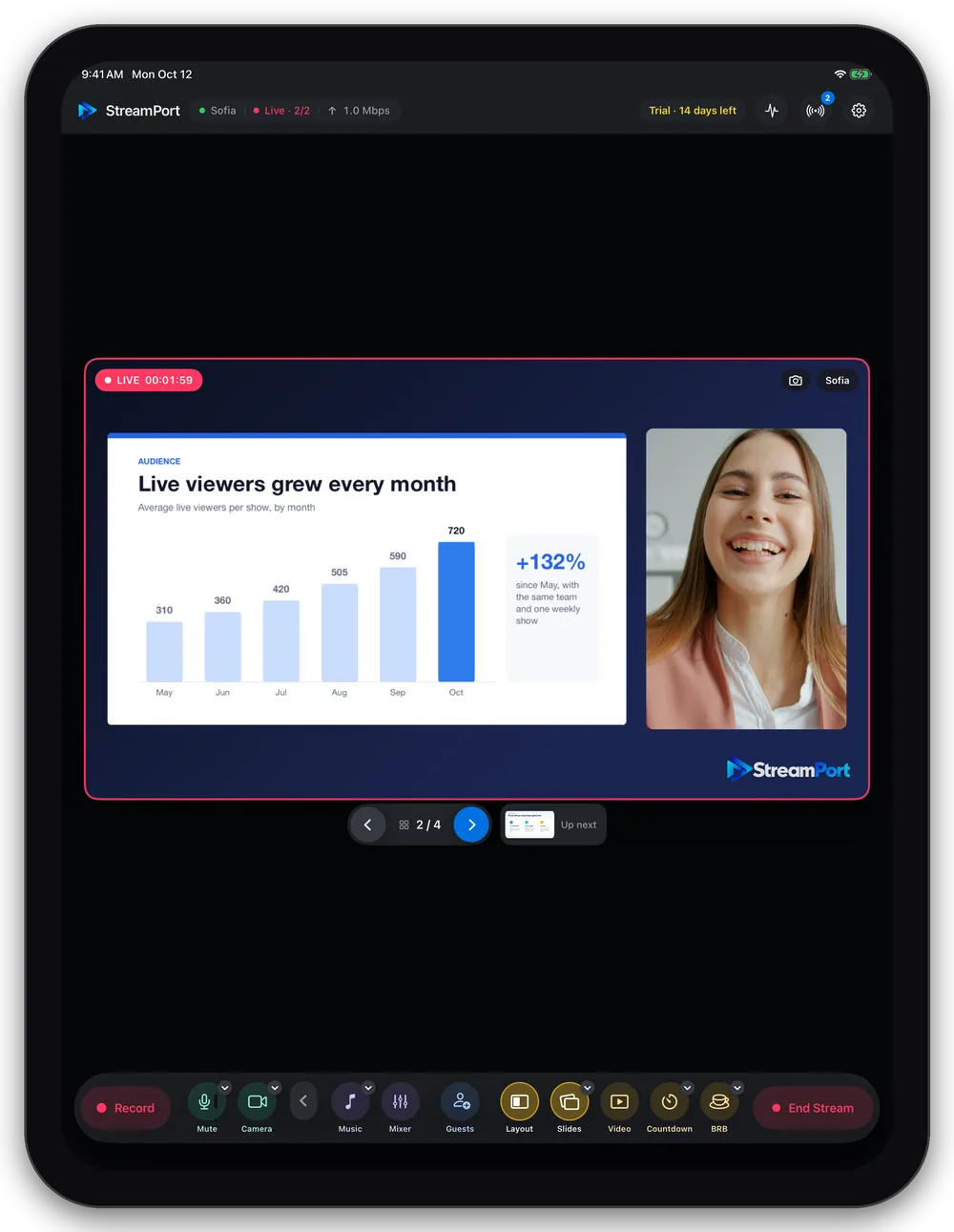
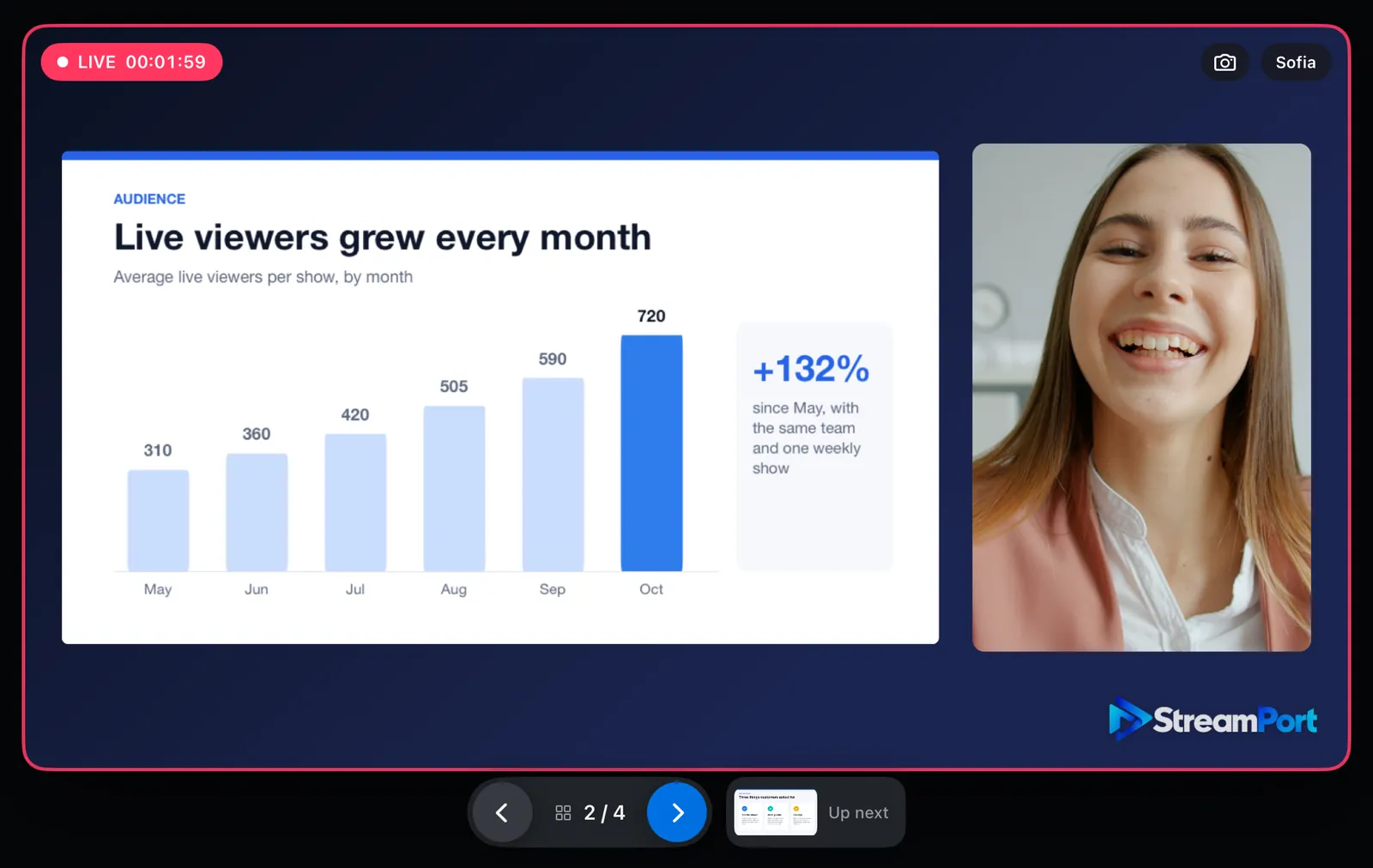
StreamPort for iPad live on two platforms: a presenter beside her slide with a bar chart, the slide controls and the control dock below
Live production

A control room on your iPad

Put your camera beside your slides, a video or your guests, and change between 14 layouts with smooth, gliding moves. The picture is put together on the iPad’s graphics chip in 1080p at 30 frames a second, and what you see is what your viewers get.
  • The iPad’s front or back camera, or a USB-C camera
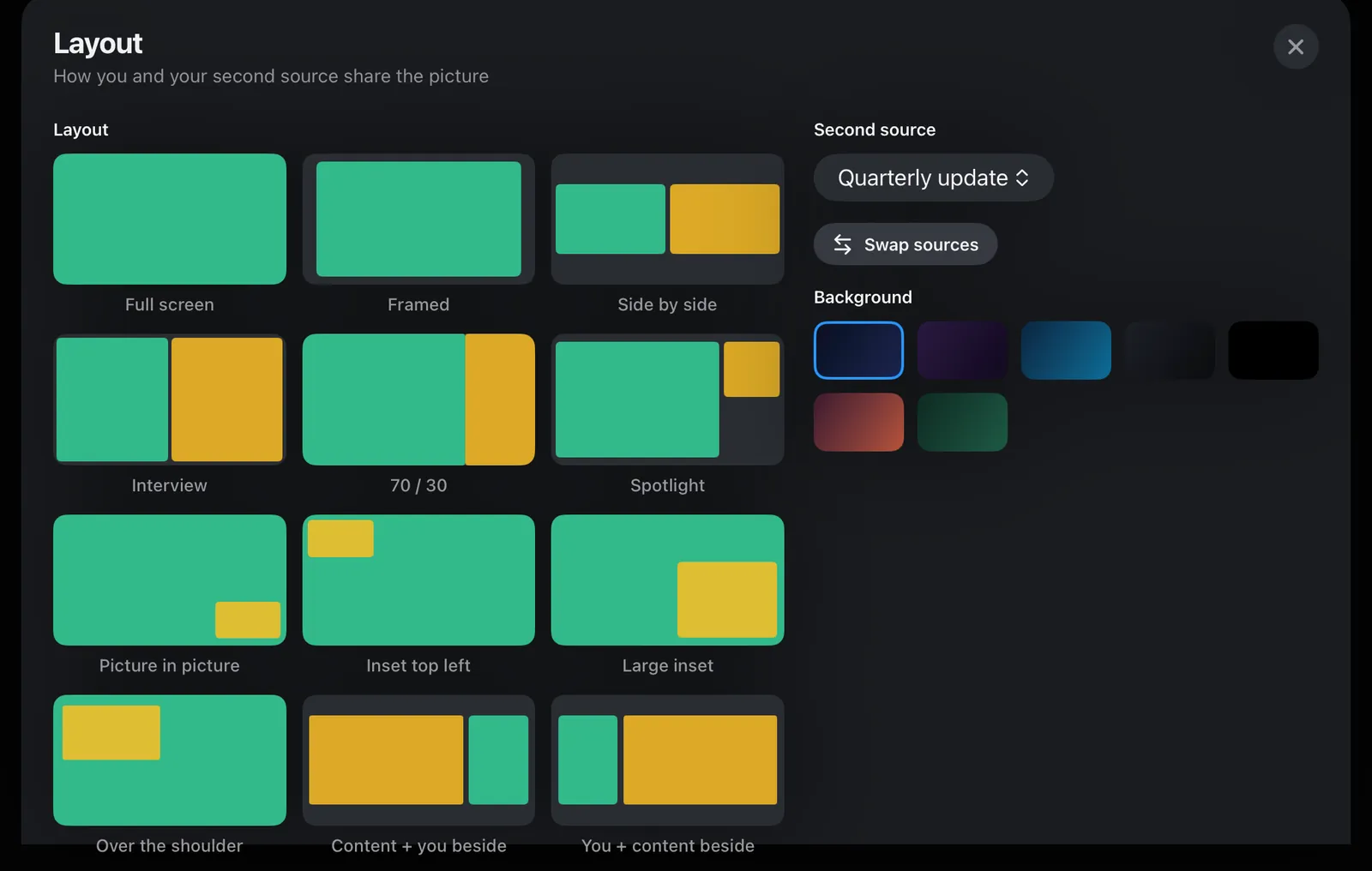
  • 14 layouts, from full screen to content beside you and over the shoulder
  • Swap your two sources and pick a background colour in one tap
  • Videos from Files or Photos, played with their sound
StreamPort for iPad: the Layout sheet with full screen, framed, side by side, interview, 70/30, spotlight, picture in picture and more, with a choice of background colours
Graphics

Graphics that look like television

The graphics from StreamPort for Mac, drawn on the iPad: 14 lower-third designs including news and business styles, a scrolling ticker, your logo, seven countdown designs and a Be right back card.
  • Names on the whole picture, on you, or on each guest’s picture
  • A ticker for headlines and announcements
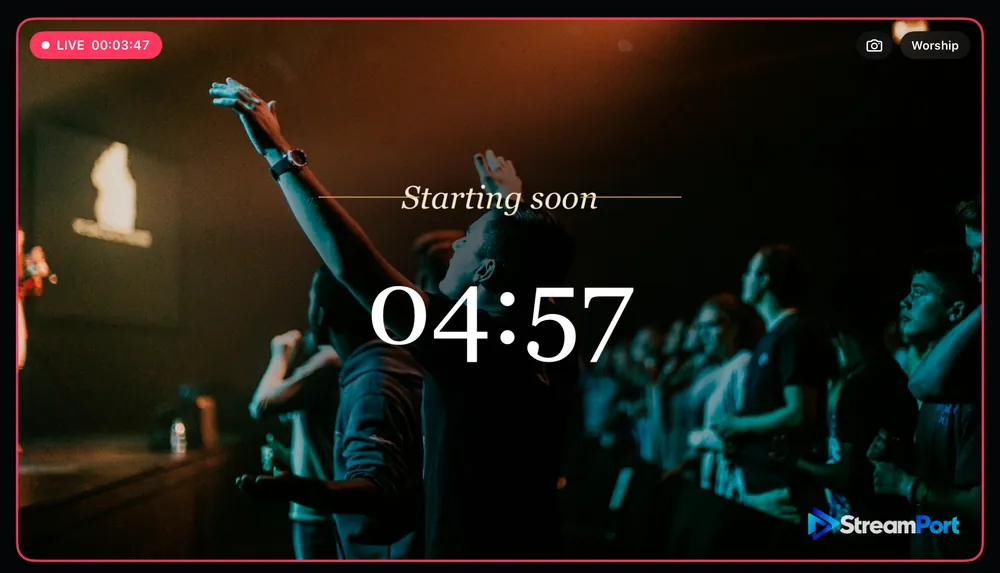
  • Countdowns full screen or over the camera
  • Be right back, which can mute your microphone until you return
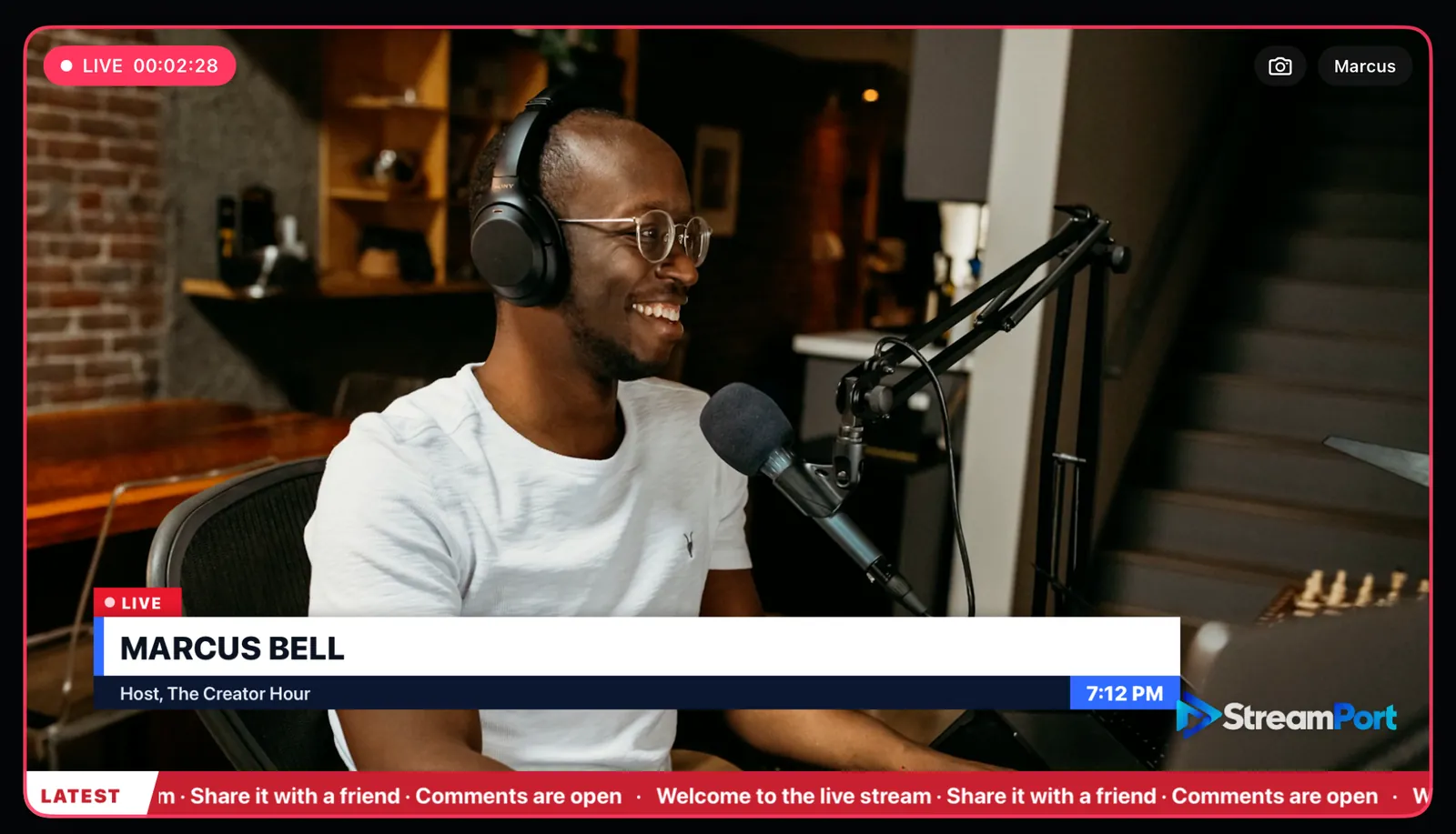
A podcast host on air with a news-style lower third showing his name, a clock and a scrolling ticker
An elegant Starting soon countdown over a worship service
Countdown over the camera
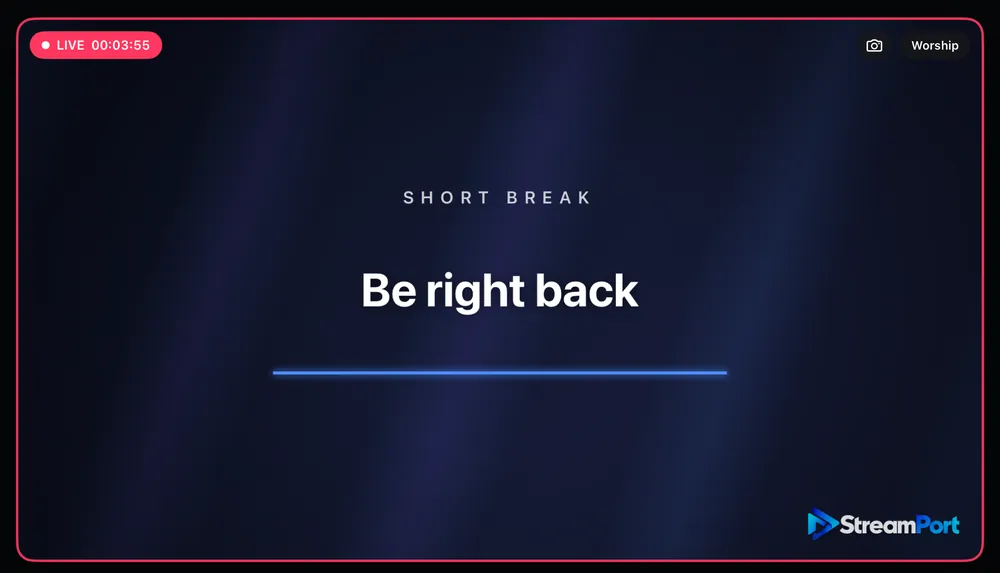
A Be right back card with the words Short break
Be right back
Slides

Your slides, with you beside them

Import a PowerPoint file, a PDF or a Google Slides link. Present beside you, with you in the corner or side by side, and change slides without opening a menu.
  • PowerPoint (.pptx) and PDF from Files, or a shared Google Slides link
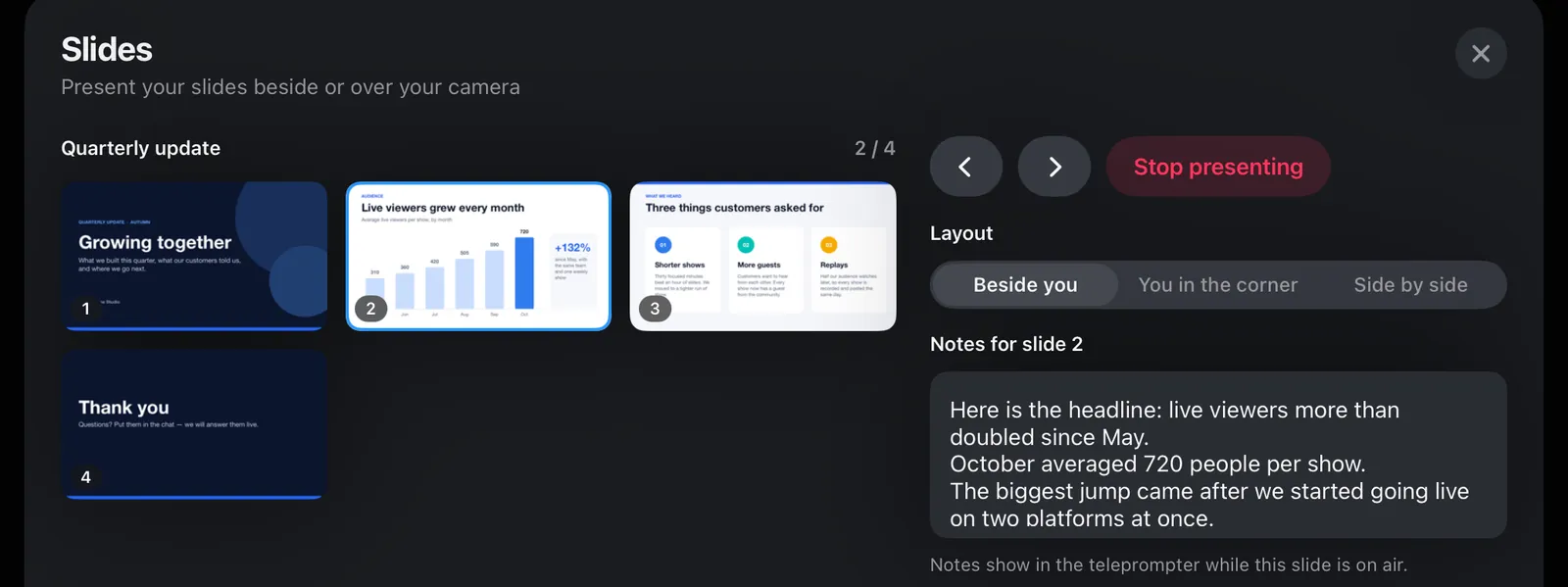
  • Presenter notes from the deck in a teleprompter only you can see
  • On-screen ‹ › buttons with an Up next preview, or swipe on the slide
  • A keyboard or presentation clicker: arrows, Space, Page Up and Down
A presenter beside a slide with a bar chart, live, with the previous and next slide buttons and an Up next preview under the picture
The Slides sheet: thumbnails of a four-slide deck, the layout choice and the notes for slide 2
The Slides sheet: your deck, the layout and the notes for each slide, which follow the slide on air in the teleprompter
Guests

Guests from a browser link

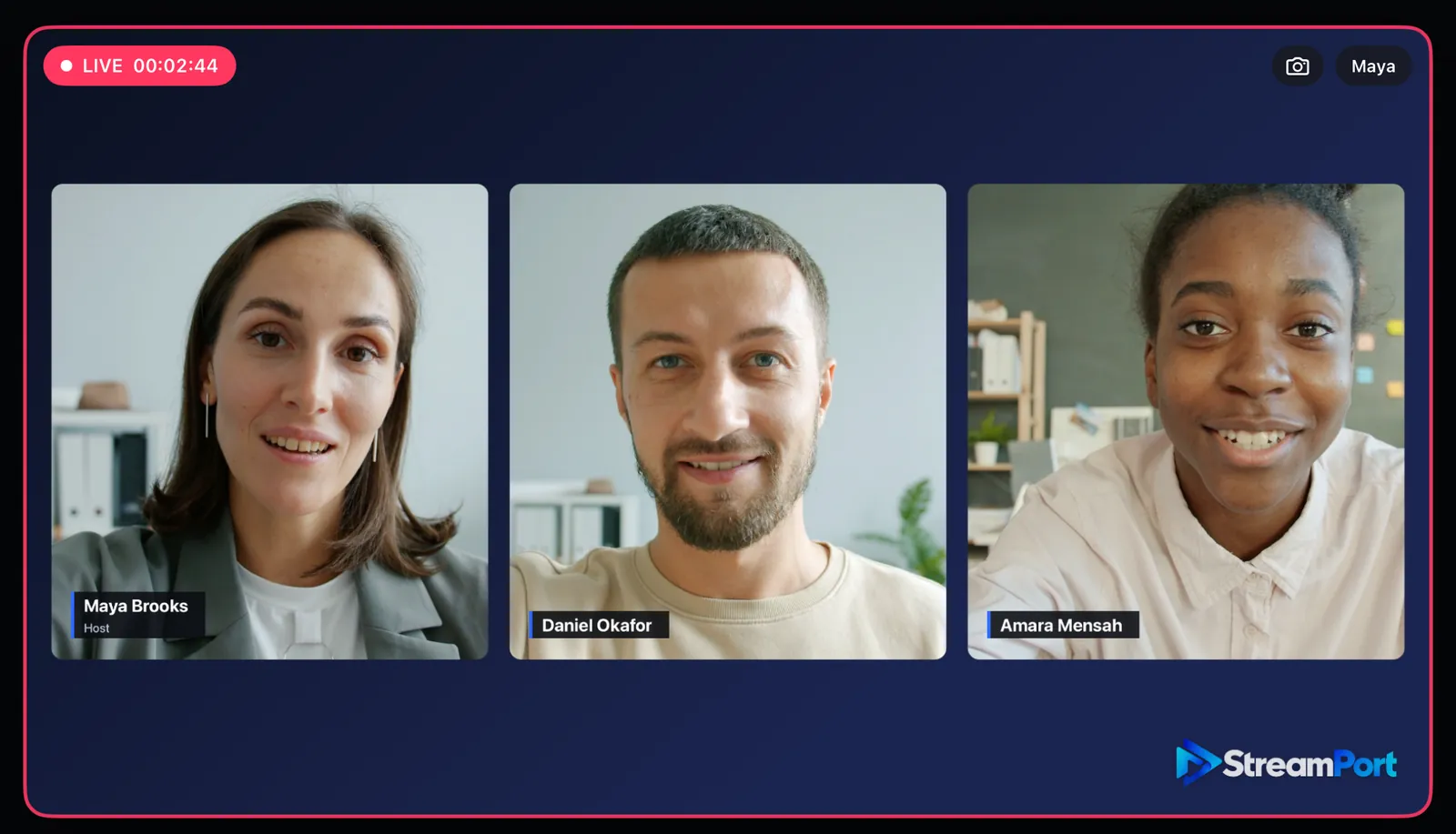
Open a guest room and send the link. Guests join from a browser on their computer, phone or tablet, with nothing to install and no account. They appear beside you, and hear the show without their own echo.
  • Up to 4 guests on Pro, 2 on Solo
  • A waiting room, an optional PIN and backstage chat
  • Lower thirds on everyone, each with their own name
  • Every guest gets their own fader in the mixer
A host and two guests side by side on air, each with a lower third showing their own name
Sound

A real mixer, with faders

Every source gets a channel strip: a fader with a 0 dB detent, a level meter with peak hold and a mute button. Voice, music, video, each guest and the master that feeds your stream and recording.
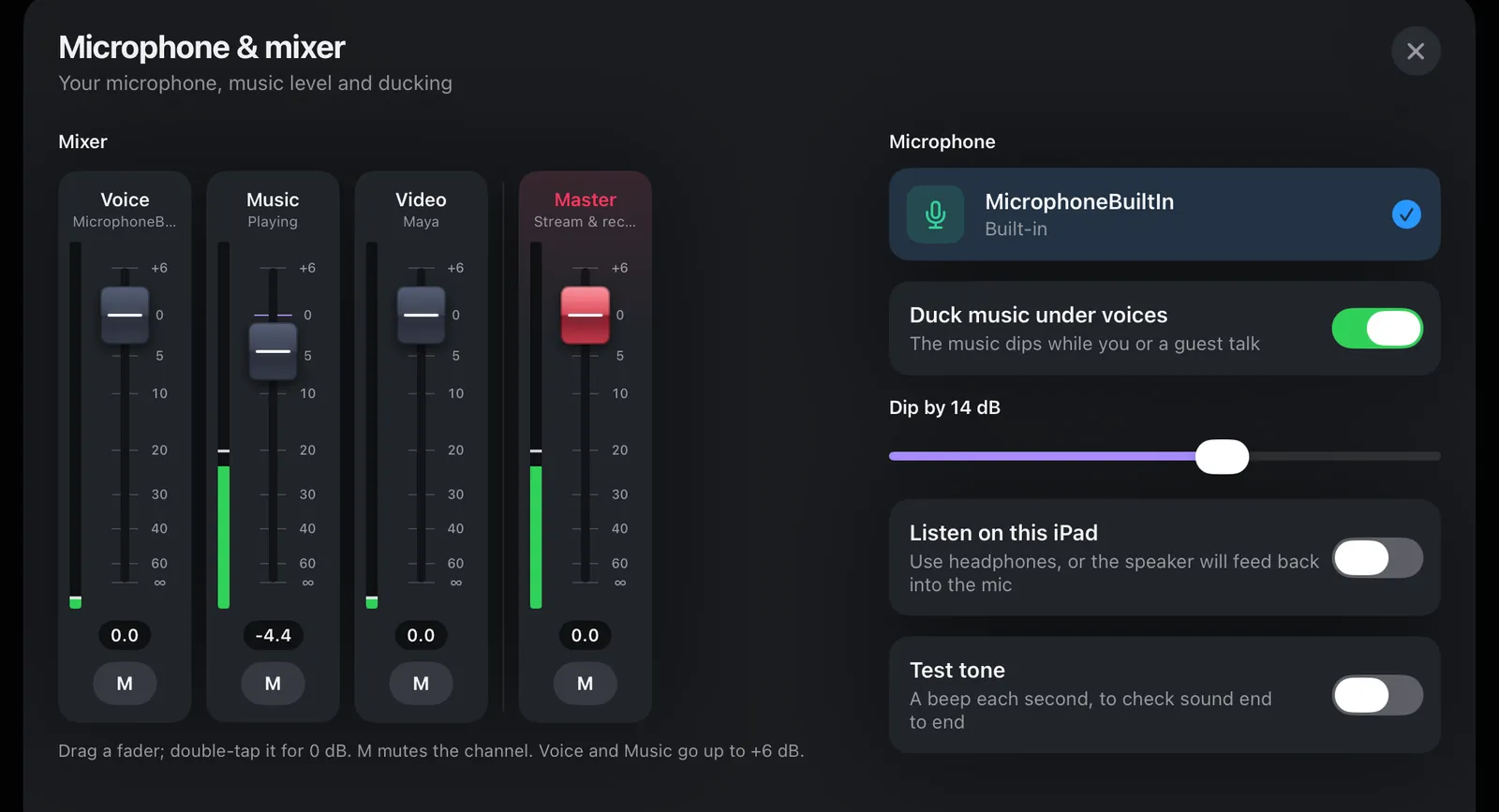
  • A music playlist from Files that dips under voices
  • Choose how far the music dips
  • Built-in, USB-C or headset microphone
  • Listen on the iPad with headphones
The Microphone and mixer sheet: Voice, Music, Video and Master faders with level meters, microphone choice and music ducking
Multistreaming

Two platforms at once, or four with Cloud

Add YouTube, Facebook, Twitch or any RTMP or RTMPS server. The iPad streams to 2 destinations directly. On Pro, StreamPort Cloud takes one upload from the iPad and sends your show to up to 4.
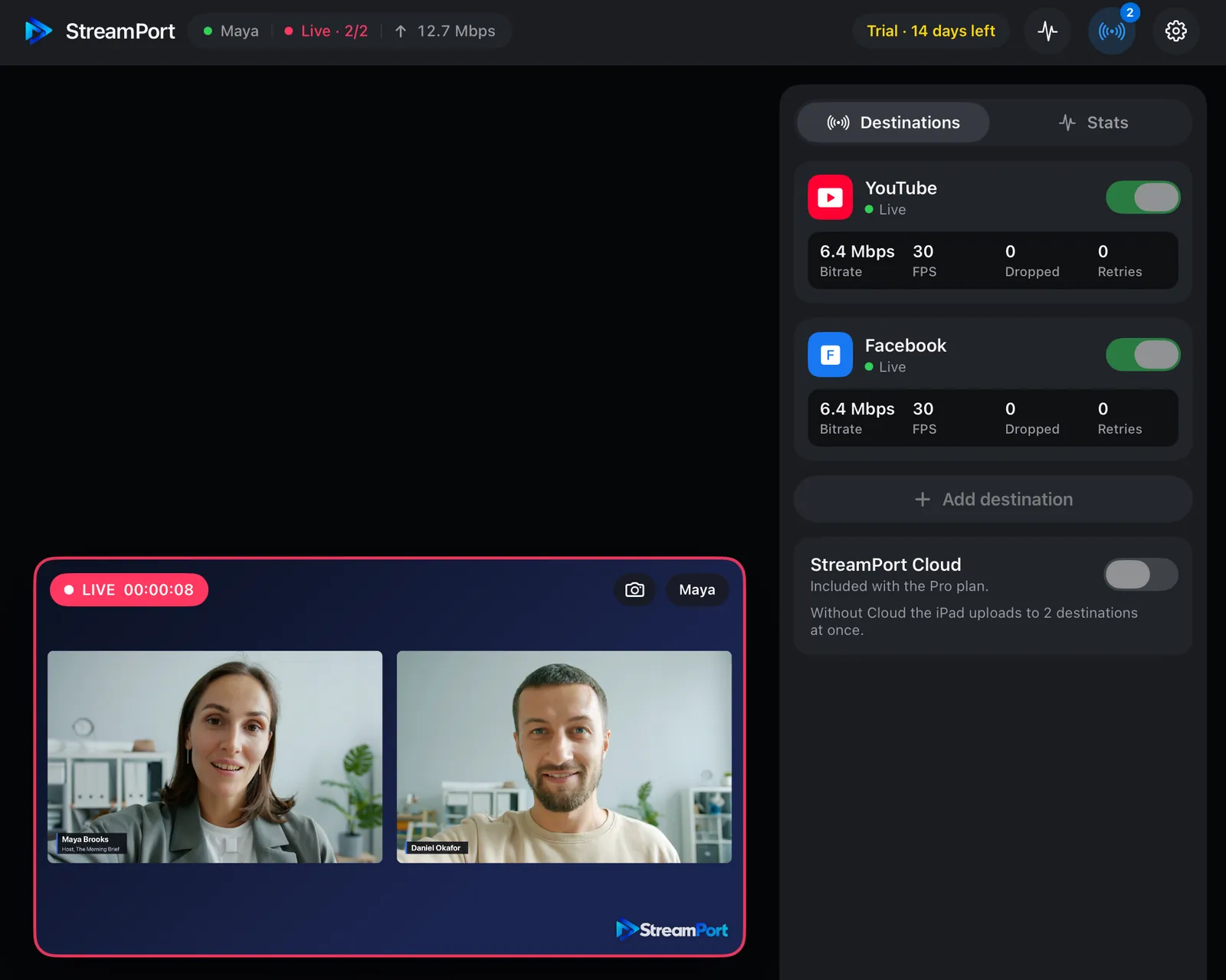
  • Bitrate, frames, dropped frames and retries for each destination
  • Reconnects by itself if the connection drops
  • Stream keys kept in the iPad’s keychain
  • Live stats: upload, encoder, render time and sound levels
Live to YouTube and Facebook at once, with bitrate, frame rate, dropped frames and retries for each destination
Record and automate

Record, snapshot, Shortcuts and Siri

Record the show as a 1080p MP4 in the Files app, while you stream or on its own. Save the exact frame your viewers see to Photos. And let Shortcuts or Siri go live, record or change slides for you.
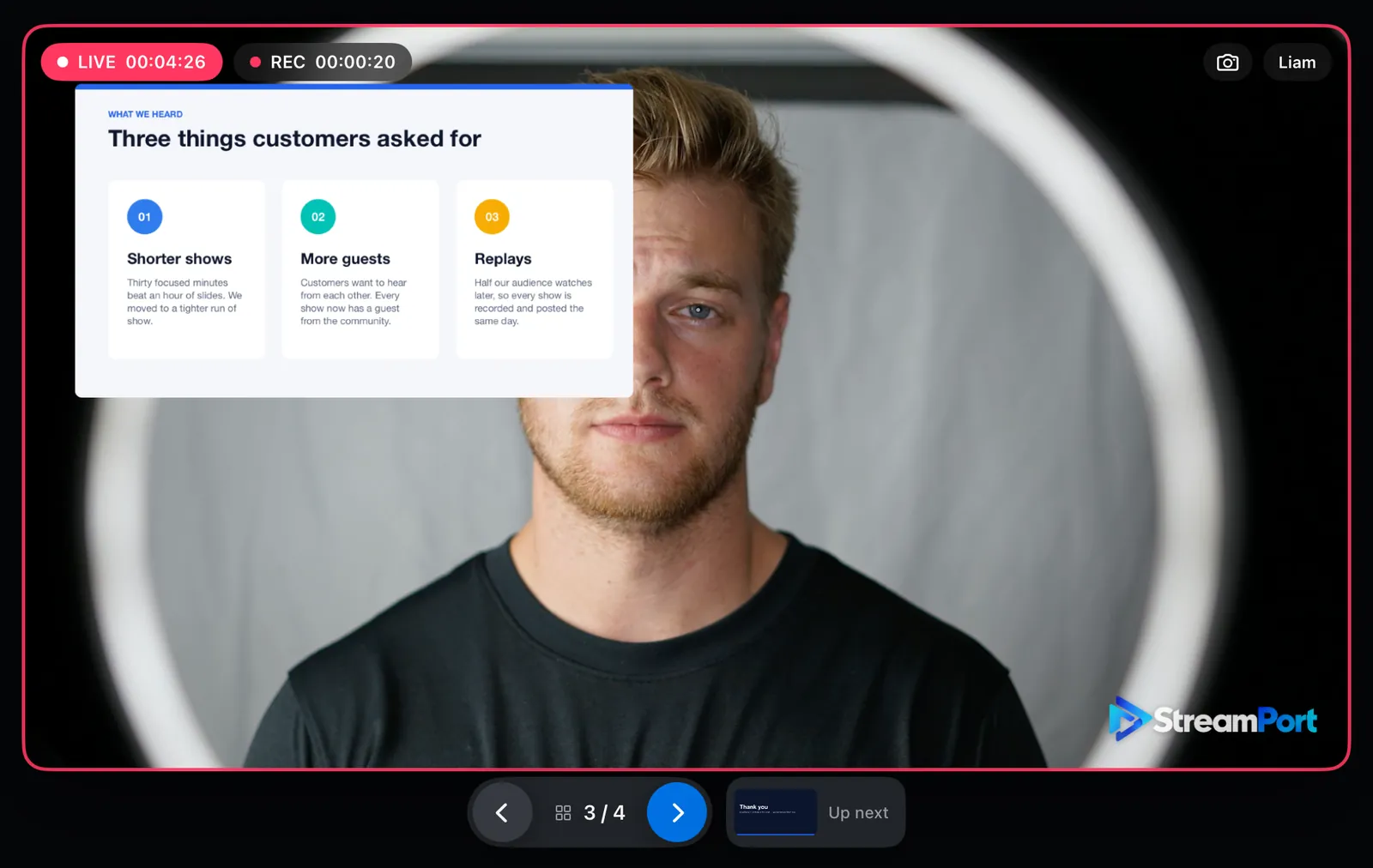
  • Recordings in Files › On My iPad › StreamPort
  • Snapshots of the program saved to Photos
  • Go live, Record, Be right back, Show names and more in Shortcuts
  • “Next slide in StreamPort” with Siri
Live and recording at the same time, with a slide over the presenter’s shoulder and the snapshot button at the top right

Screenshots from StreamPort for iPad before release. The people are stand-in pictures playing as camera sources; the trial mark shows in the corner.

Planned pricing at launch

Two simple plans

Subscriptions through the App Store, with a 14-day free trial on every new iPad.

Solo

For one presenter

$14 /month
or $119 a year
  • Camera, slides and videos
  • All graphics: names, ticker, logo, countdown, Be right back
  • Mixer, music and recording to Files
  • 2 browser guests
  • 2 destinations at once
Coming soon on the App Store
Most features

Pro

For shows with guests and more platforms

$19 /month
or $159 a year
  • Everything in Solo
  • 4 browser guests
  • StreamPort Cloud: one upload, up to 4 destinations
Coming soon on the App Store

Prices in US dollars, as planned at launch, and may change before release. The App Store shows the price in your currency.

FAQ

Questions

When will StreamPort for iPad be available?

Soon. We are finishing it now, and it will come to the App Store first. The App Store link will be on this page the day it is released.

Which iPads will it run on?

iPads with iPadOS 17 or later. It works in landscape and portrait, in Split View and with Stage Manager.

Do I need StreamPort for Mac?

No. StreamPort for iPad works on its own. If you already have StreamPort on your Mac, you can sign in on the iPad with the same account.

I already pay for StreamPort on my Mac. Do I pay again?

No. Sign in with the email you bought StreamPort with: we send you a 6-digit code and your plan works on the iPad too. An iPad counts as one of your licence’s devices.

Is there a free trial?

Yes. Every new iPad gets 14 days free with every feature. During the trial a small StreamPort mark sits in the corner of the picture.

Will the prices change?

The prices on this page are the ones we plan at launch. The App Store shows the final price in your currency before you subscribe.

Want to go live today?

StreamPort for Mac is ready now, with every feature free for 14 days. No credit card.

Get StreamPort for Mac todayComing soon on the App Store