IntroductoryIntro prices end December 31 · Solo from $9.92/month and Studio from $20.75/month, billed yearly.
See pricingNow available on the App Store.
A live studio in your pocket. Go live vertical or wide, with your name on screen, slides, guests from a browser link and a real mixer, to TikTok, Instagram, YouTube, Facebook, Twitch or any RTMP server.
For iOS 17 or later. Every feature free for 14 days. Also on iPad. Already a StreamPort customer? Sign in with your account.
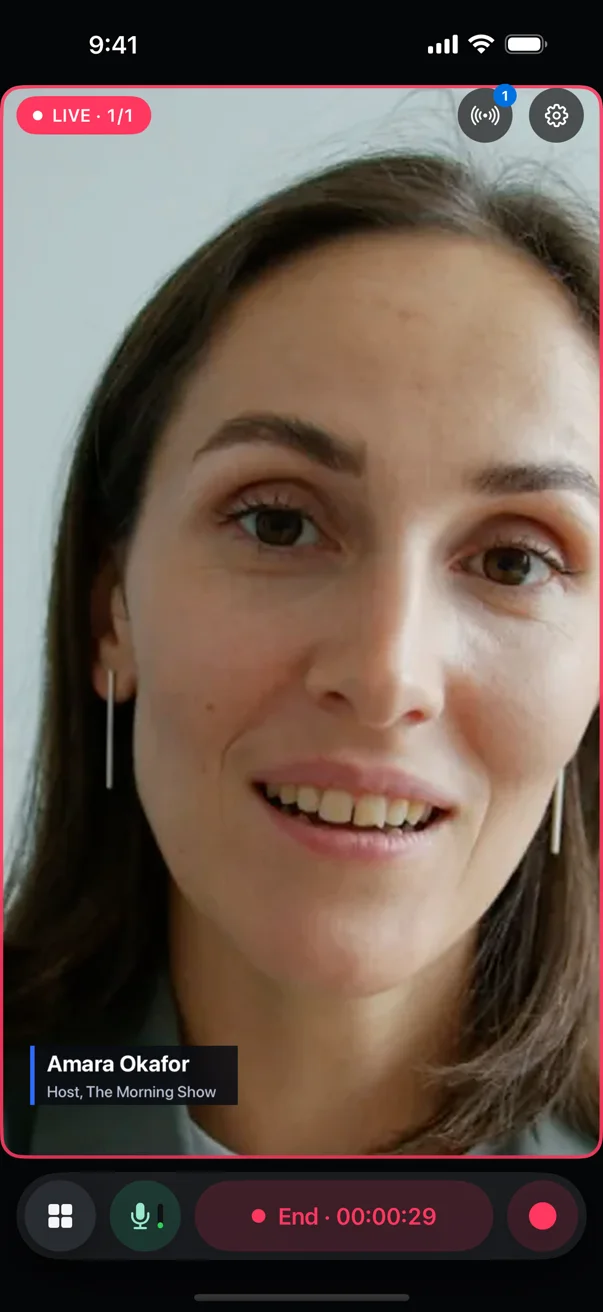
Hold your iPhone upright and the show is vertical, 1080 × 1920. Turn it sideways and it is wide, 1920 × 1080. The format locks when you go live or record, so a turn of the phone never changes what your viewers see.
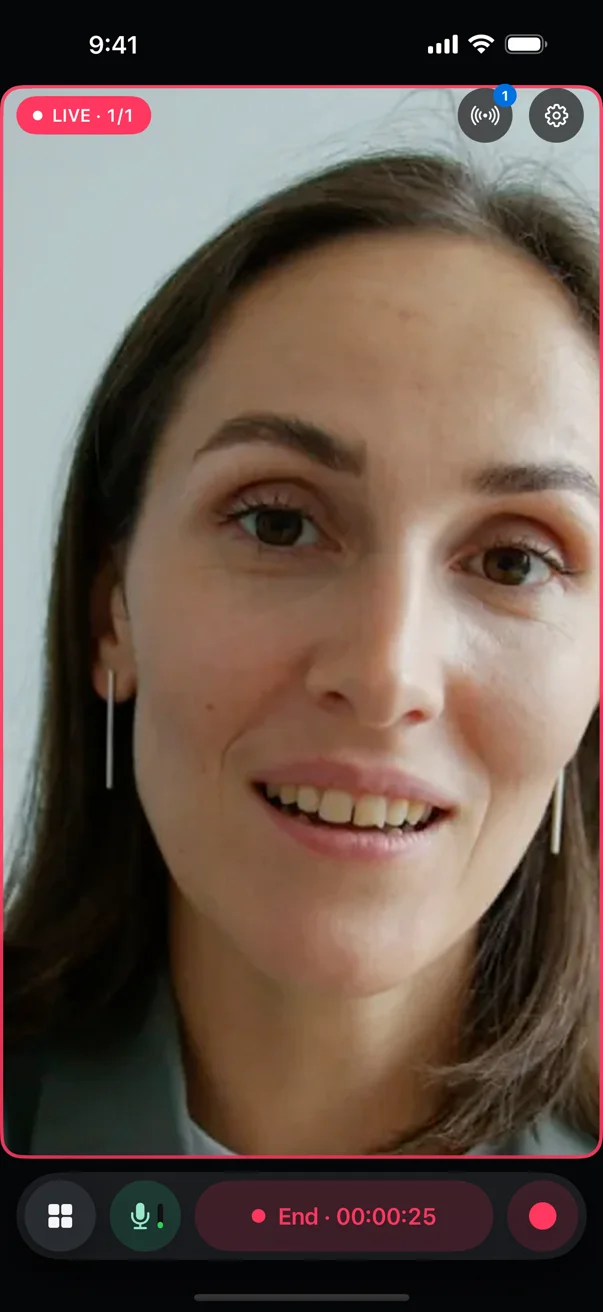
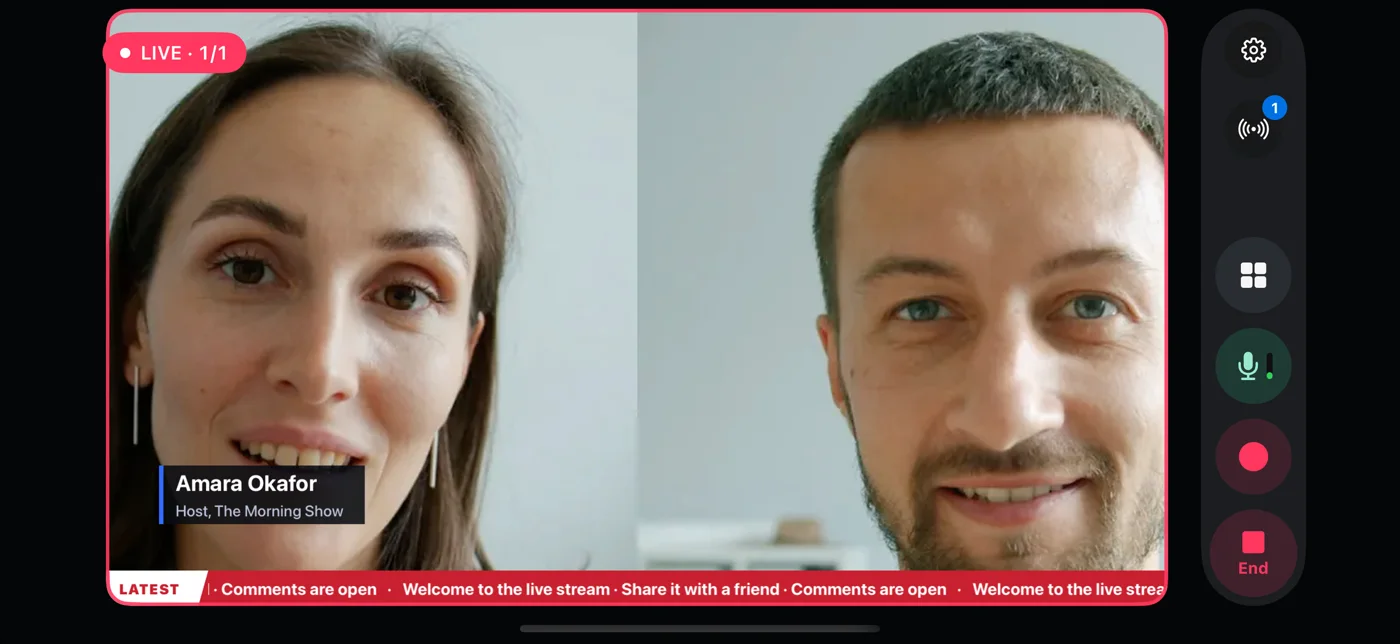
The graphics from StreamPort for Mac, drawn on the iPhone and placed for a vertical picture: names and titles, a ticker, your logo, countdowns and a Be right back card.
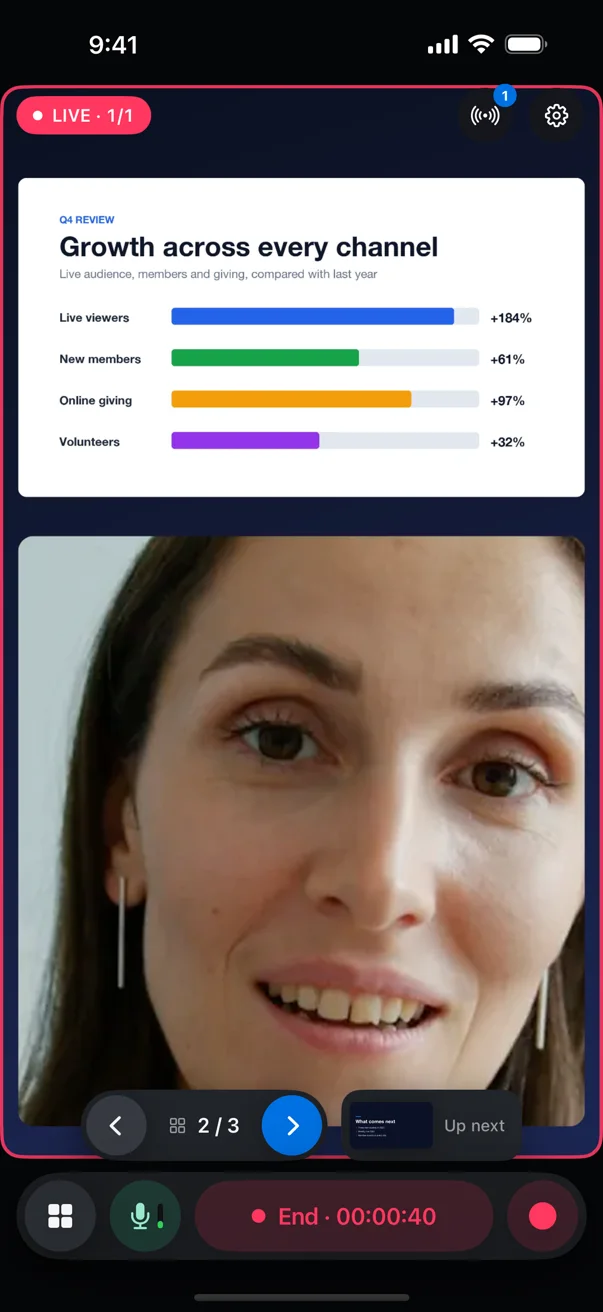
Import a PowerPoint file, a PDF or a Google Slides link. In a vertical show the slide sits above you, and the bar at the bottom moves it on and shows what is up next.
Open a guest room and send the link. Guests join from a browser on their computer, phone or tablet, with nothing to install and no account, and appear on screen with you.
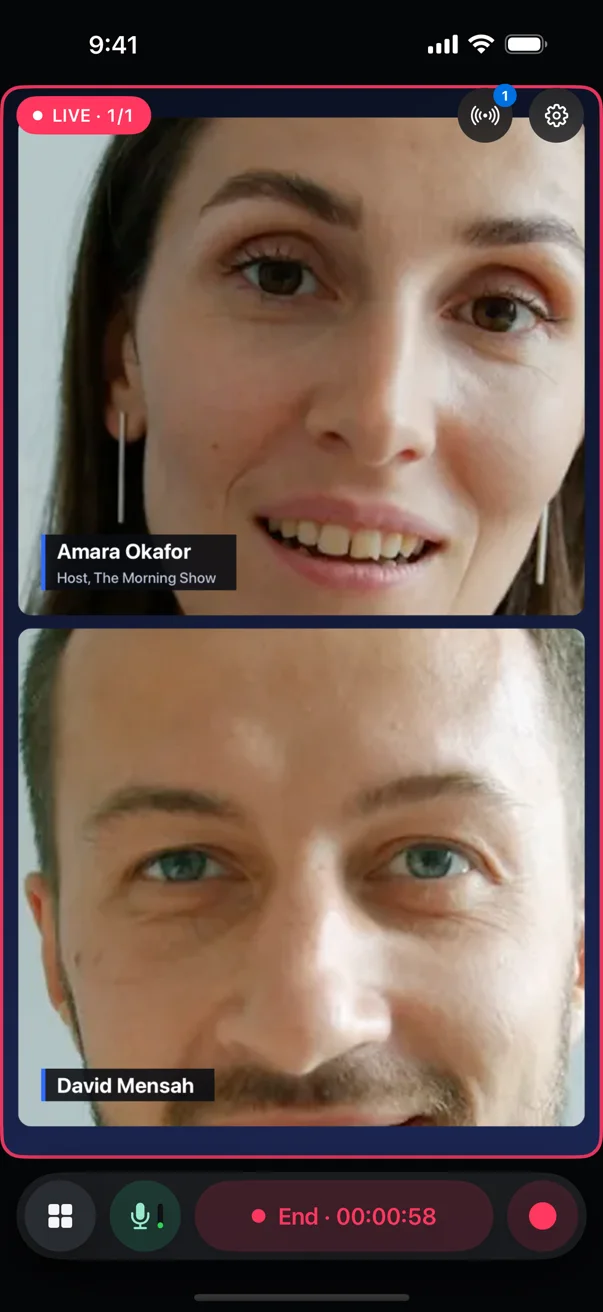
The picture fills the screen and the controls float over it. Go Live, the microphone and Record stay under your thumb. Swipe up for the Tools drawer, and pin the tools you use most to the main screen.
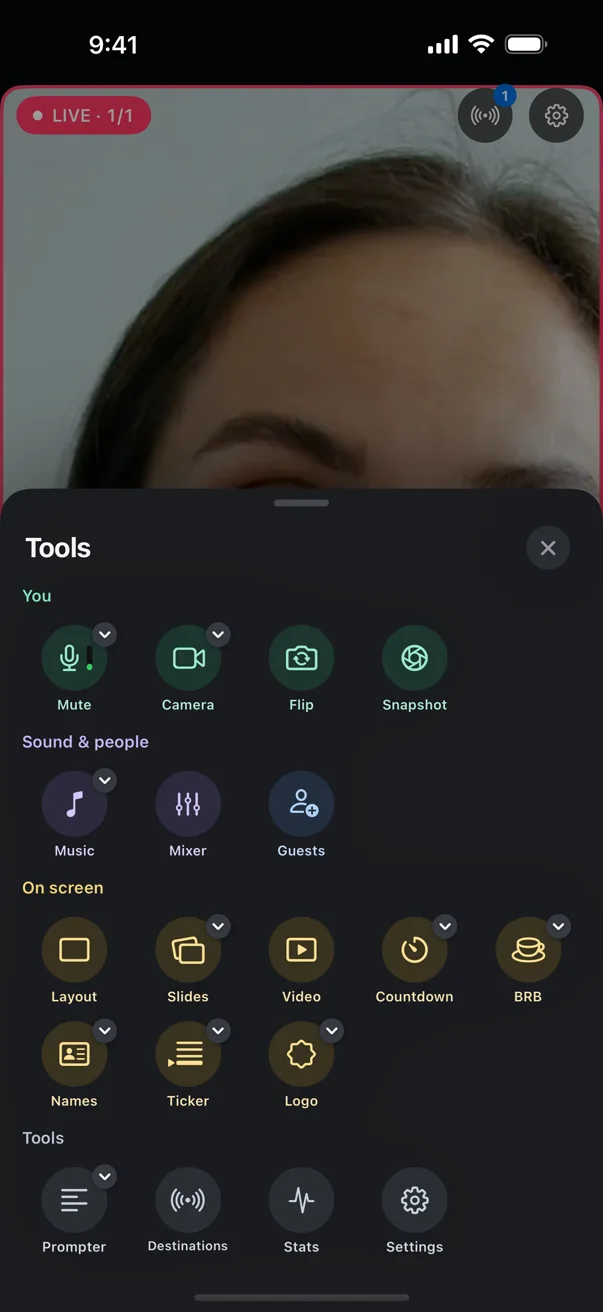
Screenshots from StreamPort for iPhone on the Pro plan. The people are stand-in videos playing as camera sources.
Subscriptions through the App Store, with a 14-day free trial on every new iPhone. One subscription covers iPhone and iPad.
For one presenter
For shows with guests and more platforms
Prices in US dollars. The App Store shows the price in your currency.
Sign in with the email you bought StreamPort with. We send you a 6-digit code, and your plan works on the iPhone too, with no second subscription.
It is available now on the App Store: download StreamPort. It is one app, so the same download works on iPad.
iPhones with iOS 17 or later.
No. One subscription covers StreamPort on both.
No. Sign in with the email you bought StreamPort with: we send you a 6-digit code and your plan works on the iPhone too. An iPhone counts as one of your licence’s devices.
Yes. Every new iPhone gets 14 days free with every feature. During the trial a small StreamPort mark sits in the corner of the picture.
No. One show has one shape. Switching on a vertical destination makes the show vertical, however you hold the phone.
Download StreamPort for iPhone and try every feature free for 14 days.

